





Pull out a Nokia 3650 from 2002 and you’d find something remarkable — a phone that could record and send video. Not great video. Tiny, blocky, barely 176×144 pixels. But video nonetheless, sent over a 3G network to another phone as an MMS message while everyone else was still figuring out ringtones.
That video was a 3GP file. And there’s a decent chance you still have some sitting in an old backup folder right now.
What 3GP Actually Is
3GP (3GPP file format) is a multimedia container developed in 1998 by the 3rd Generation Partnership Project — a permanent collaboration between seven major telecommunications standards bodies including ETSI (Europe), ARIB (Japan), CCSA (China), and TIA (North America). Their mandate was to create global standards for 3G mobile networks, and 3GP was their answer to one specific problem: how do you send video over a slow cellular connection to a device with 16MB of total storage?
The solution was aggressive compression. A one-minute 3GP video typically came in at 1–3MB. The equivalent footage in modern MP4 runs 50–150MB. That 50:1 size difference wasn’t a bug — it was the entire point.
What’s Inside a 3GP File
Like MKV and MP4, 3GP is a container — a wrapper holding separate video and audio streams. What’s inside varies significantly depending on when and where the file was recorded:
Video codecs:
- H.263 — the original 3GP codec; blocky at low bitrates, found in files from 2002–2006
- MPEG-4 Part 2 — mid-era, slightly better quality, common on Nokia N-series and early Sony Ericsson phones
- H.264 (AVC) — later 3GP implementations; these files are actually decent quality and can often be remuxed to MP4 losslessly
Audio codecs:
- AMR-NB — narrow-band audio, sounds like a phone call; the standard on early 3GP files
- AMR-WB — wider bandwidth, better voice quality
- AAC — found in newer 3GP implementations; sounds significantly better
Why this matters for conversion: If your 3GP uses H.264 video and AAC audio, you can move it to MP4 with zero quality loss via remux. If it uses H.263 and AMR-NB, re-encoding is required — and the source quality ceiling is already low regardless of what settings you choose.
3GP vs 3G2 — The Distinction Nobody Explains
Most articles treat 3GP as a single format. It isn’t.
3GP was developed for GSM networks — the standard in Europe, Asia, and most of the world.
3G2 (.3g2 extension) is Qualcomm’s parallel format for CDMA2000 networks — used by Verizon and Sprint in North America. If you had an old American carrier phone from Verizon in the mid-2000s, your videos are almost certainly .3g2 files, not .3gp.
The technical differences are minor — both are derived from MP4’s MPEG-4 Part 12 base — but they require the same conversion approach. AhaConvert handles both formats without requiring you to know which variant you have.
Why People Still Encounter 3GP Files Today
Three situations bring 3GP back into people’s lives in 2025:
Old phone backups: Anyone who migrated data from a feature phone or early Android device likely has 3GP files sitting in a backup folder. Nokia, Motorola, Samsung, and Sony Ericsson were all shipping 3GP-recording phones from 2002 through roughly 2010.
WhatsApp and messaging apps: In regions where older Android devices remain common — parts of South Asia, Africa, and Southeast Asia — videos are still sent and received as 3GP files through messaging platforms.
Legacy security footage: Early IP cameras and CCTV systems recorded in 3GP to conserve storage. Organizations upgrading old surveillance systems regularly encounter archives full of .3gp clips.
How to Convert 3GP to MP4 (With the Right Settings)
Step 1: Check your codec. Open the file in VLC → Tools → Codec Information. Note the video codec listed.
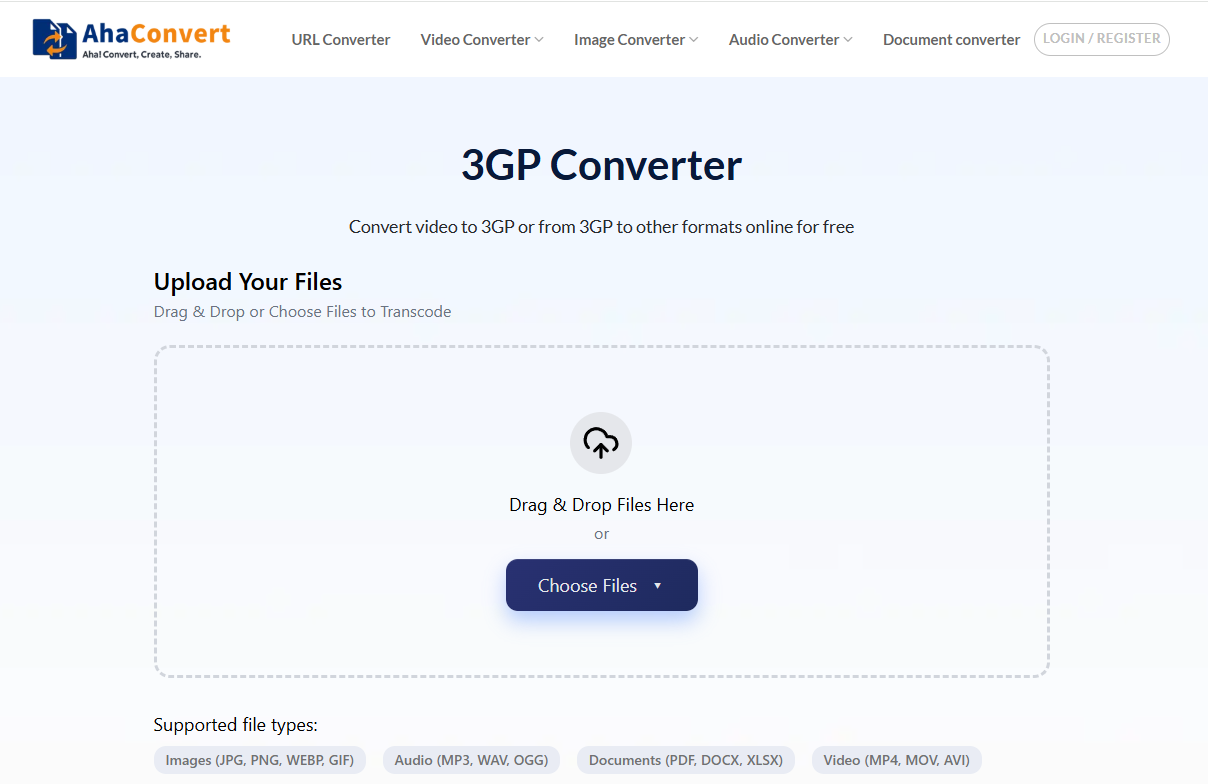
Step 2: Use AhaConvert’s 3GP Converter:
- Go to the 3GP Converter page
- Upload your 3GP or 3G2 file
- Select MP4 as output format
- For H.264 source files — AhaConvert remuxes automatically (zero quality loss)
- For H.263 or MPEG-4 Part 2 — select H.264 output at 2,000–4,000 kbps for 480p source footage
- Download the converted file
No account required. Files are encrypted with 256-bit SSL during upload and deleted from AhaConvert’s servers within 24 hours. For bulk conversions of large 3GP archives, the 3GP Converter page supports batch uploads with consistent output settings across all files.
Recommended output settings by use case:
| Use Case | Format | Resolution | Bitrate |
|---|---|---|---|
| General playback | MP4 H.264 | Match source | 2,000 kbps |
| WhatsApp/messaging | MP4 H.264 | 480p | 1,500 kbps |
| Archiving | MP4 H.264 | Match source | 4,000 kbps |
| Editing | MP4 H.264 | Match source | 8,000 kbps |
3GP vs MP4: The Practical Comparison
| 3GP (H.263) | 3GP (H.264) | MP4 (H.264) | |
|---|---|---|---|
| File size (1 min) | 1–3MB | 5–15MB | 50–150MB |
| Video quality | Low | Moderate | High |
| Device compatibility | Legacy phones | Most devices | Universal |
| Browser playback | None | Limited | Native |
| Editing software | Poor | Limited | Excellent |
| Streaming platforms | Rejected | Rejected | Required |
The conclusion is straightforward: 3GP served its purpose brilliantly for the era it was designed for. For anything beyond playing back old memories, convert it to MP4.
Frequently Asked Questions
What does 3GP stand for?
3GP stands for 3rd Generation Partnership Project file format — named after the telecommunications consortium that created it in 1998 to standardize video for 3G mobile networks. The .3gp extension identifies the container; the quality and codec inside vary depending on which phone recorded it and when.
Can modern phones and computers play 3GP files?
Most can, but not all natively. Android devices generally play 3GP through their built-in gallery apps. iPhones do not support 3GP natively — use VLC for iOS or convert to MP4 first. On Windows, VLC handles 3GP reliably; Windows Media Player support is inconsistent depending on installed codecs.
Will converting 3GP to MP4 improve the video quality?
No converter can recover quality that wasn’t captured in the first place. H.263-encoded 3GP footage has a fixed quality ceiling regardless of output settings. What conversion does is make the file compatible with modern devices and editing software, and can improve audio quality significantly if the source used AMR-NB audio.
What’s the difference between 3GP and 3G2?
3GP was developed for GSM networks (standard globally); 3G2 was Qualcomm’s variant for CDMA2000 networks used by Verizon and Sprint in North America. Both use similar underlying technology and convert identically. If your old American carrier phone produced .3g2 files, treat them exactly like 3GP for conversion purposes.
Is 3GP still used for new recordings?
No major current device records in 3GP by default. The format effectively ended as a recording standard when 4G LTE became widespread around 2012–2014 and smartphones gained sufficient storage and processing power to record H.264 MP4 natively. Its relevance today is entirely archival.