




Corporate training has evolved significantly over the past decade. Traditional training methods often rely on lengthy presentations, printed manuals, classroom sessions, and repetitive workshops. While these approaches can still be useful, they may not always fit the needs of modern workplaces.
Employees now expect training materials that are engaging, easy to access, and simple to understand. Companies also need training solutions that can be updated quickly as policies, products, and procedures change.
Video-based learning has become one of the most effective ways to educate teams. It allows employees to learn at their own pace. At the same time, these are helping organizations deliver consistent information across departments and locations.
However, creating training videos through traditional production methods can be expensive and time-consuming. This is where AI-powered platforms such as Vidnoz AI are making a difference.
Why Companies Are Using Vidnoz AI?
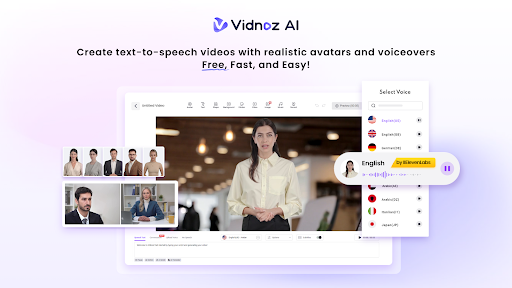
Vidnoz AI is an AI video generation platform that helps organizations create training videos without cameras, studios, or professional presenters. Businesses can transform written materials into engaging learning content using AI avatars, realistic voiceovers, and ready-made templates.
One of the platform’s strongest advantages is its commitment to information security. Vidnoz AI has achieved ISO/IEC 27001:2022 Certification. It is showing that it follows internationally recognized standards for managing and protecting digital information.
This focus on data protection is an important consideration. This is especially for companies creating internal training materials, onboarding resources, compliance lessons, and workplace guidelines.
Beyond security, the platform provides tools that simplify training content creation for HR teams, managers, learning specialists, and business leaders.
Common Challenges of Corporate Training
Many businesses face obstacles when building training programs.
· Limited Training Budgets
Producing professional videos can be costly.
· Time Constraints
Managers and HR teams may not have enough time to coordinate production projects.
· Global Workforces
Organizations with international teams often need content in multiple languages.
· Maintaining Engagement
Traditional training materials can struggle to hold employee attention.
Vidnoz AI helps address these challenges by simplifying video creation and reducing production requirements.
Features That Support Corporate Learning Programs
Here we have listed some of the amazing features of Vidnoz AI.
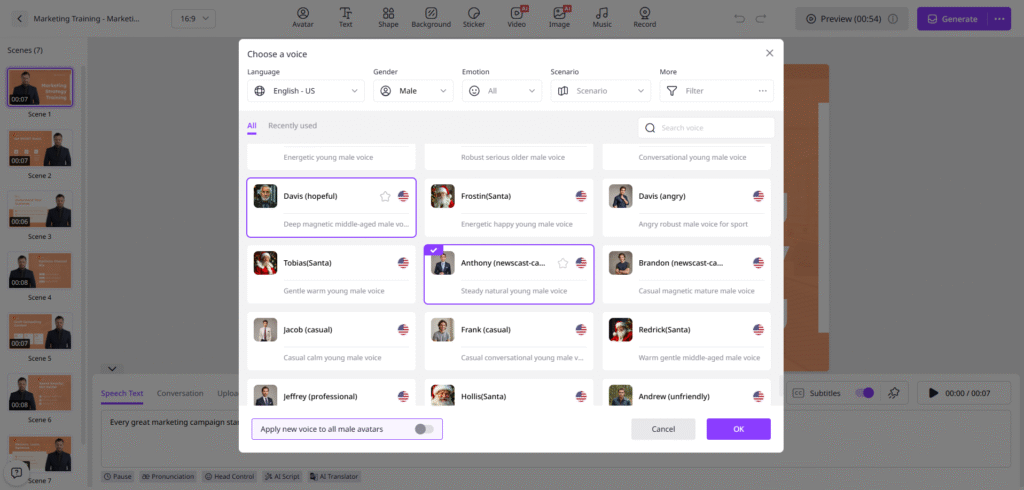
2000+ AI Voices for Clear Training Delivery
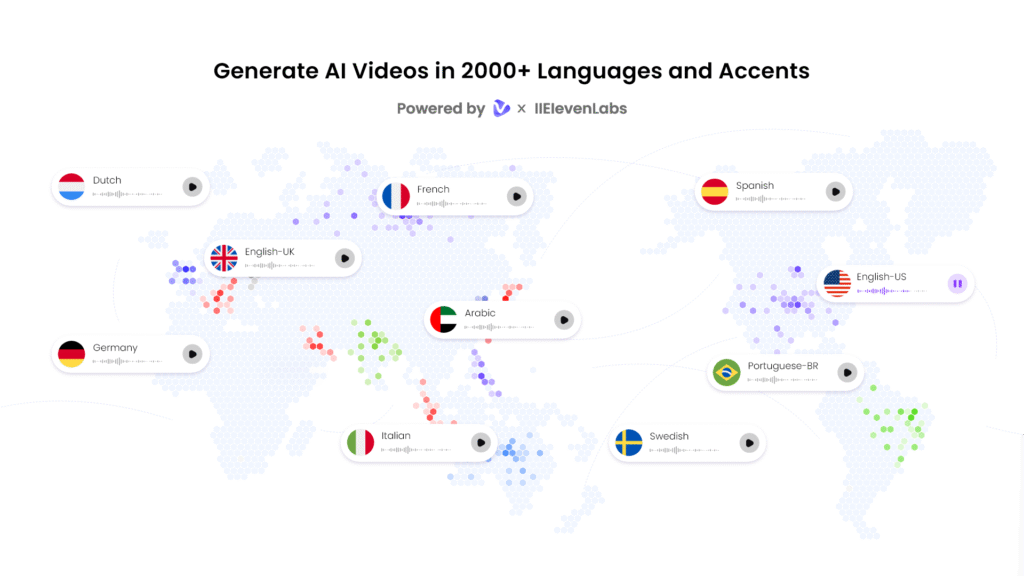
Training content needs clear and understandable narration. Vidnoz AI offers more than 2000 realistic AI voices that convert written scripts into spoken presentations.
Users can choose from various languages, accents, and speaking styles. These will help companies create content for diverse teams without recording multiple voiceovers manually.
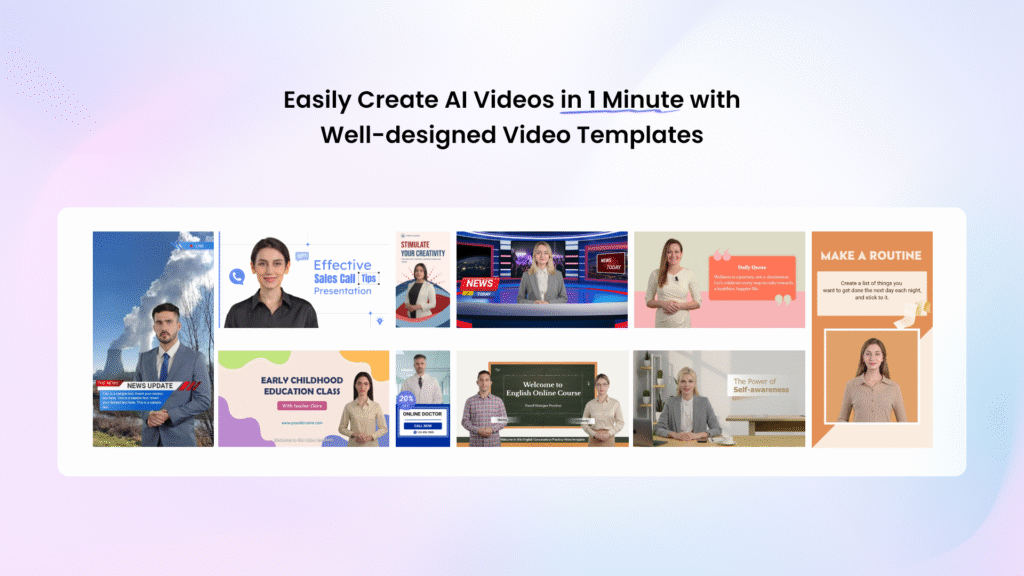
2800+ Templates for Different Training Needs
Creating every training video from scratch can be time-consuming. Vidnoz AI provides over 2800 templates designed for different business and educational scenarios.
These templates can support:
· Employee onboarding
· Workplace safety training
· Product education
· Compliance programs
· Software tutorials
· Leadership development
· Customer service training
This allows organizations to focus on training content rather than video design.
Free Daily Video Creation
Vidnoz AI includes 30 free video creation credits each day. It is allowing teams to test ideas and explore the platform before committing to larger projects.
This feature is especially useful for small businesses and growing organizations looking to evaluate AI video creation.
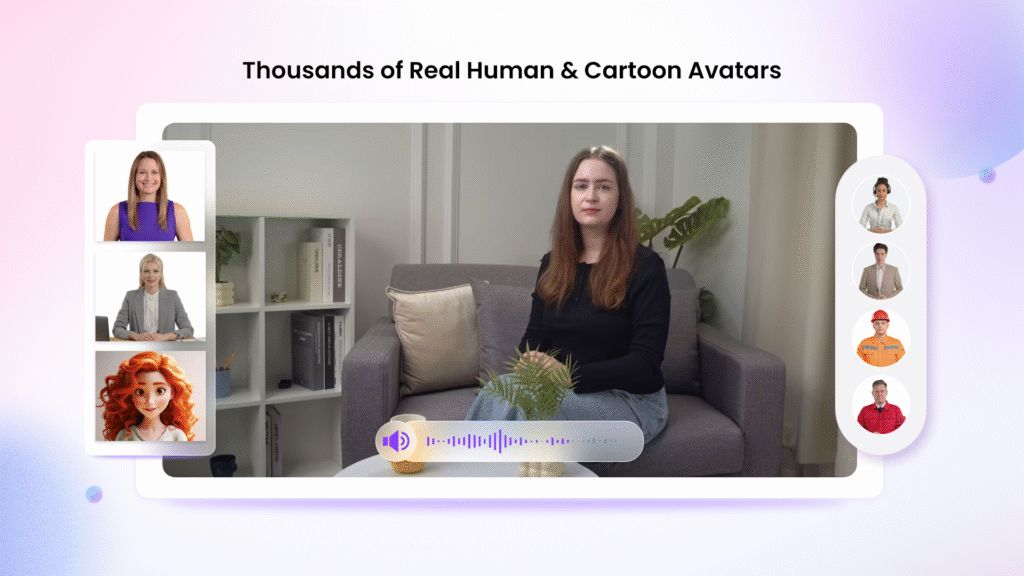
1900+ AI Avatars for Workplace Learning
The platform provides access to more than 1900 AI avatars representing a variety of professions and industries. The avatar collection includes everything from CSRs to business hosts, doctors, trainers, and more.
This variety helps organizations to choose presenters that match the topic and audience of each training program. Vidnoz AI offers multiple ways to create presenter-led training videos.
· Avatar Lite
Avatar Lite allows users to quickly generate videos without spending extensive time on setup and customization.
· Custom Avatar Pro
Custom Avatar Pro allows you to adjust visual elements and work with more flexible background settings to align training content with company branding.
· Expressive Avatars
Expressive Avatars use natural gestures, facial expressions, and body movements to make presentations feel more realistic.
Users can also create a digital version of themselves that speaks in over 40 languages while reflecting their own voice style. This feature can be useful for trainers and business leaders who want a consistent presence across multiple learning materials.
Why Video Training Often Delivers Better Results?
Many organizations are moving away from text-heavy training resources. Here are some reasons why.
· Easier Information Retention
Employees often remember visual content better than lengthy written documents.
· Flexible Learning
Video lessons can be accessed at convenient times without requiring live sessions.
· Consistent Messaging
Every employee receives the same information regardless of location.
· Faster Updates
Companies can revise training videos when procedures or policies change.
How to Create Employee Training Videos with Vidnoz AI?
Here are the steps to follow to create employee training videos with Vidnoz AI.
Create an Account and Explore Available Resources
Start by registering on Vidnoz AI Video Generator and accessing the dashboard. Review the available features to understand which tools best support your training objectives.
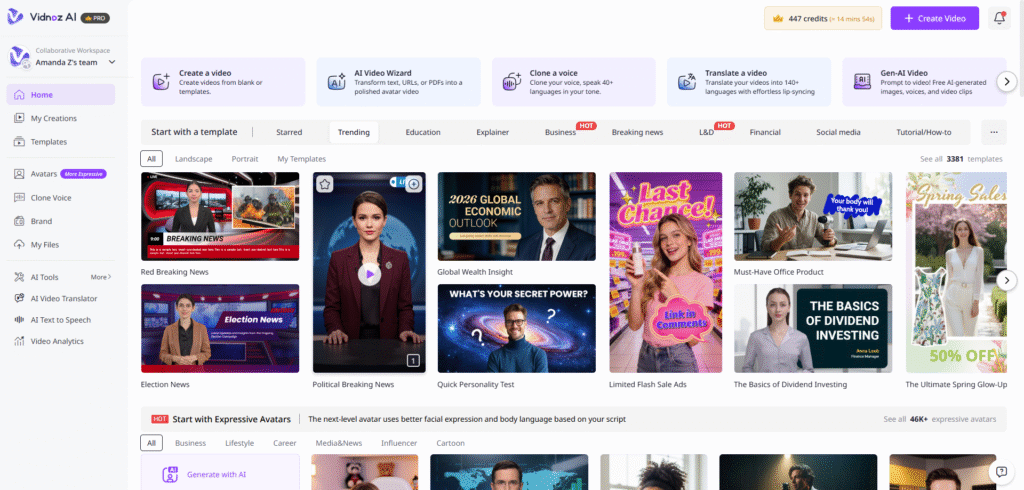
Select a Training Template and Presenter
Choose a template that matches your learning topic. Then select an avatar that fits the audience and subject matter. Professional presenters often work well for onboarding, compliance, and workplace instruction videos.
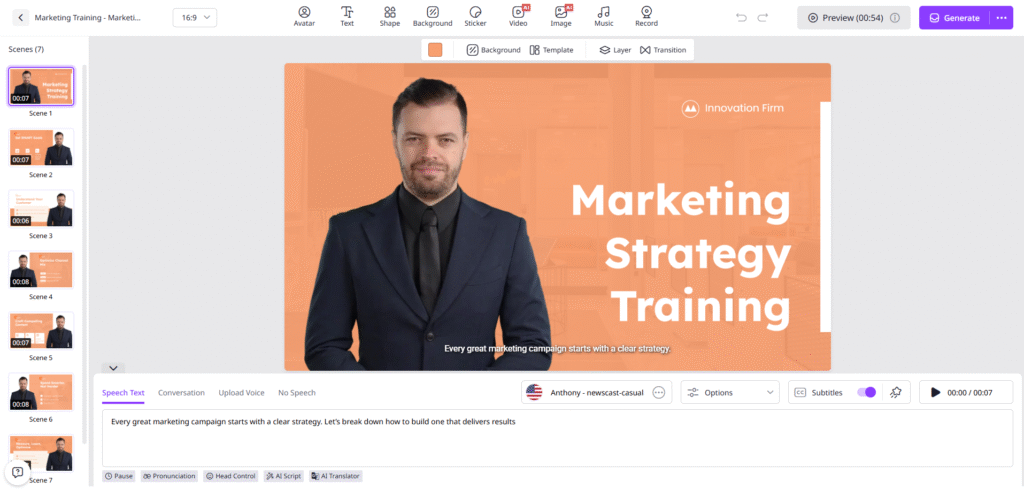
Add Your Training Content and Narration
Insert your lesson script into the editor and select an AI voice. Adjust language settings, speaking speed, and narration style to create a smooth learning experience for employees.
Customize the Training Environment
Modify backgrounds, text sections, visuals, and branding elements. Users working with Custom Avatar Pro can make additional visual adjustments that align videos with company identity and learning requirements.
Generate and Distribute the Video
Preview the content and generate the final video. Once completed, upload it to your learning management system, internal portal, onboarding platform, or employee resource center.
Final Thoughts
Employee education remains one of the most important investments a company can make. The challenge is delivering valuable training without creating unnecessary costs or delays.
Vidnoz AI provides strong information security alongside modern video creation capabilities. It presents a smart and efficient way to create engaging training content. This is especially true for businesses looking to improve employee learning programs.